
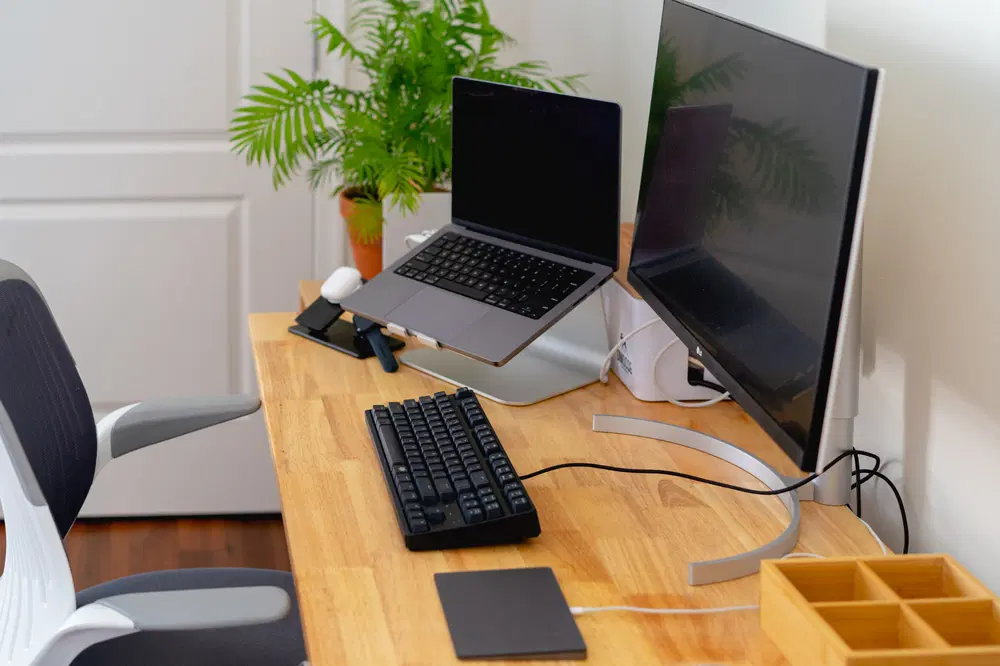
Best Home Office Essentials for Remote Workers (2025 Edition)
Best Home Office Essentials for Remote Workers (2025 Edition)
Your Workspace, Your Power Zone
The remote work revolution isn’t going anywhere in 2025—in fact, it’s evolving fast. Whether you’re freelancing, managing a remote team, or just taking Zoom calls from home, having the right setup is key. A good home office isn’t just about looking professional—it’s about boosting focus, minimizing physical strain, and creating a space where you actually want to work.
These essentials combine function, comfort, and style to help you work smarter (not harder).
1. Ergonomic Office Chair – Herman Miller Aeron or Secretlab NeueChair
-
Why You Need It: Long hours = back pain if you’re not supported. These chairs are ergonomic masterpieces with lumbar support, breathable mesh, and custom adjustments.
-
2025 Update: Many models now include posture-correcting sensors and AI-guided settings.
-
Worth every penny if you sit 6+ hours/day.
2. Standing Desk – Fully Jarvis or Uplift V2
-
Why You Need It: Sitting all day isn’t great. A height-adjustable desk lets you alternate between sitting and standing, keeping energy and circulation up.
-
2025 Features: Preset memory settings, built-in cable management, and optional solar charging pads.
-
Improves posture, productivity, and long-term health.
3. Noise-Cancelling Headphones – Sony WH-1000XM6 or Apple AirPods Max
-
Why You Need It: Zoom calls, kids, traffic… block distractions and focus better.
-
2025 Upgrade: Adaptive sound profiles now switch automatically based on your calendar or location.
-
Bonus: Crystal-clear mic for video calls.
4. Mechanical or Low-Profile Keyboard – Keychron K3 or Logitech MX Keys S
-
Why You Need It: Comfortable typing improves speed and reduces wrist fatigue.
-
2025 Features: Bluetooth multi-device switching, backlighting, and customizable macros.
-
Mechanical feel + productivity boost = win.
5. Ergonomic Wireless Mouse – Logitech MX Master 4 or Vertical Lift
-
Why You Need It: A solid mouse reduces hand strain and boosts workflow speed.
-
2025 Features: Smart gesture mapping, USB-C charging, and pressure-sensitive control.
-
Pair it with a wrist rest for ultimate comfort.
6. Ultra-Wide Monitor – Dell Ultrasharp 34” Curved or LG DualUp
-
Why You Need It: More screen = less tab-switching = more focus.
-
2025 Upgrade: Built-in KVM switch, eye-care tech, and 5K resolution options.
-
Perfect for multitasking, editing, or coding.
7. Desk Accessories – Cable Management + LED Desk Lamp + Monitor Riser
-
Why You Need It: A tidy desk improves focus. Add a soft-light LED lamp and a riser to keep monitors at eye level.
-
Recommended: BenQ e-Reading Lamp, Orbitkey desk organizers.
-
Clean space = clear mind.
8. High-Quality Webcam – Elgato Facecam or Logitech Brio 4K
-
Why You Need It: Look sharp on Zoom or Teams with 1080p/4K quality and good lighting.
-
2025 Features: Auto-exposure, AI background blur, and facial light balance.
-
Great for remote interviews, livestreams, or professional calls.
9. Smart Power Strip with Surge Protection
-
Why You Need It: Manage all your devices safely and smartly.
-
Top Pick: Anker 727 Charging Station with USB-C, surge protection, and space-saving design.
-
Prevents overloads and cuts phantom energy use.
10. Ambient Noise Machine or Smart Speaker – Sonos Era 100 / Google Nest Hub
-
Why You Need It: Create a focused environment with white noise, music, or even light aromatherapy syncing.
-
2025 Integration: Syncs with calendar to auto-start workday sounds and dim lights during breaks.
-
Set the mood, stay in the zone.
Optional Upgrades
| Upgrade | Why It Helps |
|---|---|
| Laptop Stand | Aligns screen at eye level to avoid neck strain |
| Blue Light Glasses | Reduces eye fatigue from screen time |
| Foot Rest | Improves sitting posture and circulation |
| Greenery or Plants | Boosts mood and air quality |
Build a Workspace That Works for You
You don’t need everything at once. Start with comfort (chair + desk), then layer in focus (audio + display) and flow (organization + smart gear).
The right tools = less stress + more output.